Skip to content

Learn

Watch a launch day live

See who is on your site now, where they came from and who looks ready to buy, on a live list and a globe, and tag the launch so you can measure it later.

Updated

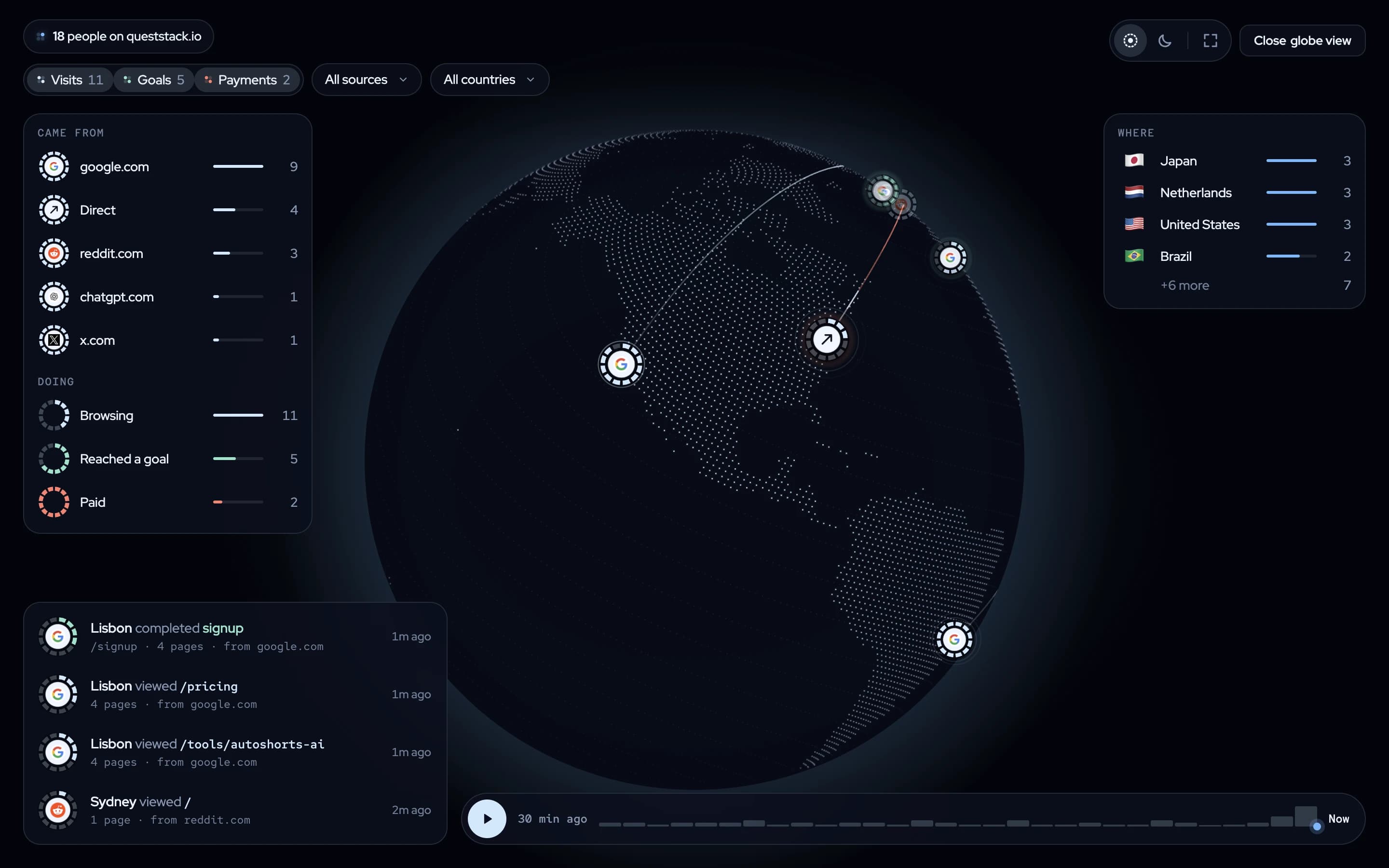
The twelvebit live globe: 18 people on queststack.io, with where they came from (google.com, Direct, reddit.com, chatgpt.com, x.com), what they are doing, their countries, and a feed of page views and sign-ups.
The live globe: the people on the site now, where they came from and what they are doing. Sample data on the queststack.io demo, October 2026. Open the live demo →

Why a launch needs a live view

On a launch day, the first hours decide what you do next: which thread to answer, which post to boost, which page to fix. A report tomorrow is too late. You need to see who is on the site now, where they came from and who is close to buying.

Where twelvebit shows it

Open Live. The headline says how many people are here now and how many look ready to buy. The People on the site table is sorted by intent: a visit to pricing or checkout, a goal, a return visit and three or more pages each raise it. Came from shows the sources of the people online, and the event stream shows each page view, goal and payment as it happens. The view updates every five seconds.

Globe view puts the same people on a globe, with where they came from, what they are doing (browsing, reached a goal, paid), their countries, and a feed of what each person did.
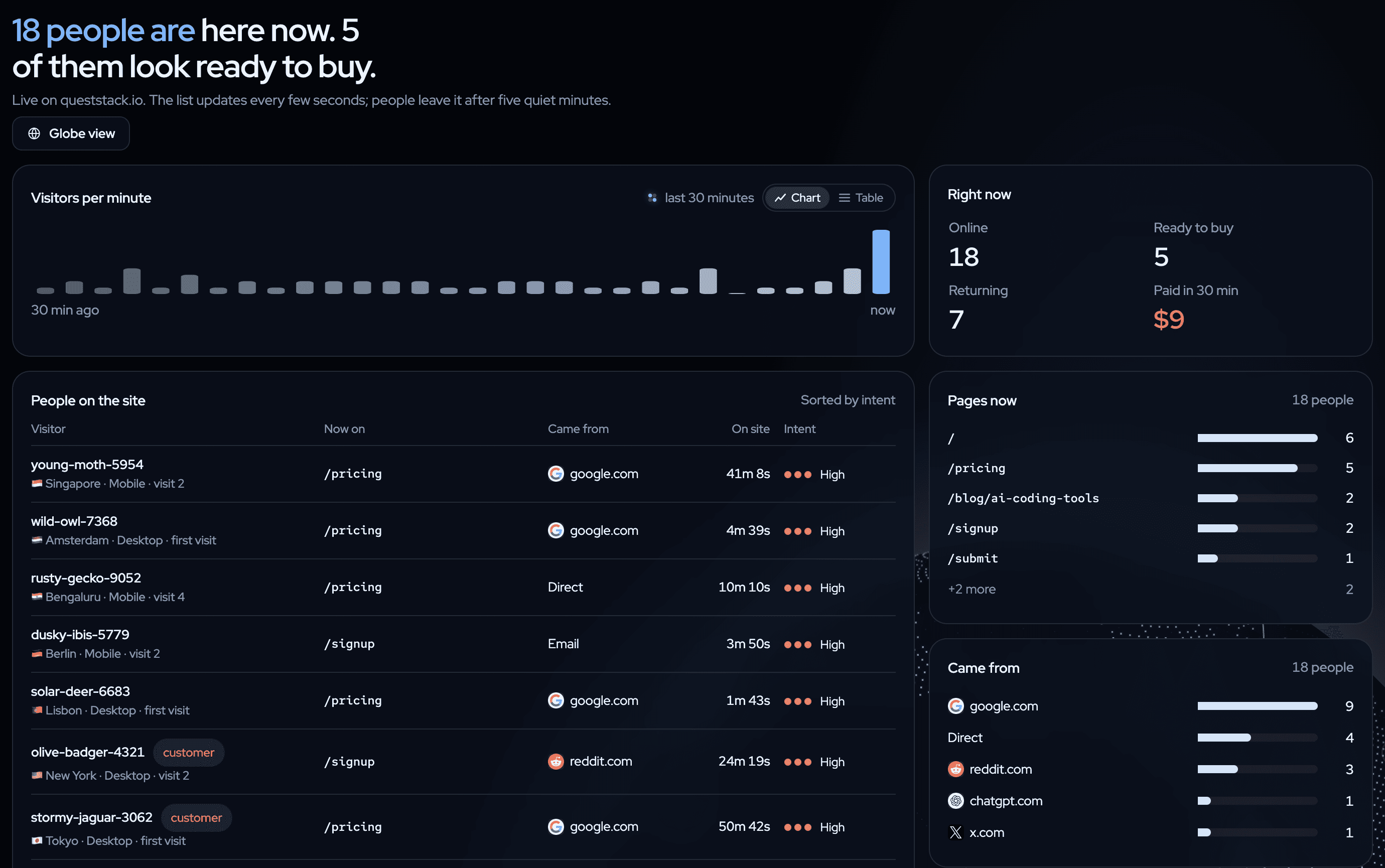
The twelvebit Live view: 18 people are here now and 5 of them look ready to buy, with visitors per minute and the people on the site sorted by intent.
People on the site, sorted by intent, with the page they are on and where they came from. Sample data on the queststack.io demo, October 2026. Open the live demo →

How to do it

  1. Before the launch, tag your links: one UTM campaign for the launch, and one source for each place you post.
  2. Add a note for the launch in Settings → Notes, so it shows on the chart later. A GitHub webhook adds your releases as notes for you.
  3. On the day, keep Live open. Answer where Came from shows people arriving.
  4. After a week, open the Overview, filter to the launch campaign and compare its revenue per visitor with your other channels. See your best marketing channel.

What to do with the answer

A launch is a spike of visitors. What matters is how many of them paid and whether they came back. Compare the launch campaign with your normal traffic in the funnel, and keep the note on the chart so that next month you remember why the line jumped.

Keep learning

More questions the dashboard answers.

All learn pages →

Paste one prompt. Watch the first events arrive.

Start free. Your agent does the setup, and you see revenue next to the traffic that brought it.

14-day free trial · cancel any time