Skip to content

Learn

Find the marketing channel that brings revenue

Rank your channels, referrers and campaigns by the revenue they bring, not by visitors, and find the source with the highest revenue per visitor.

Updated

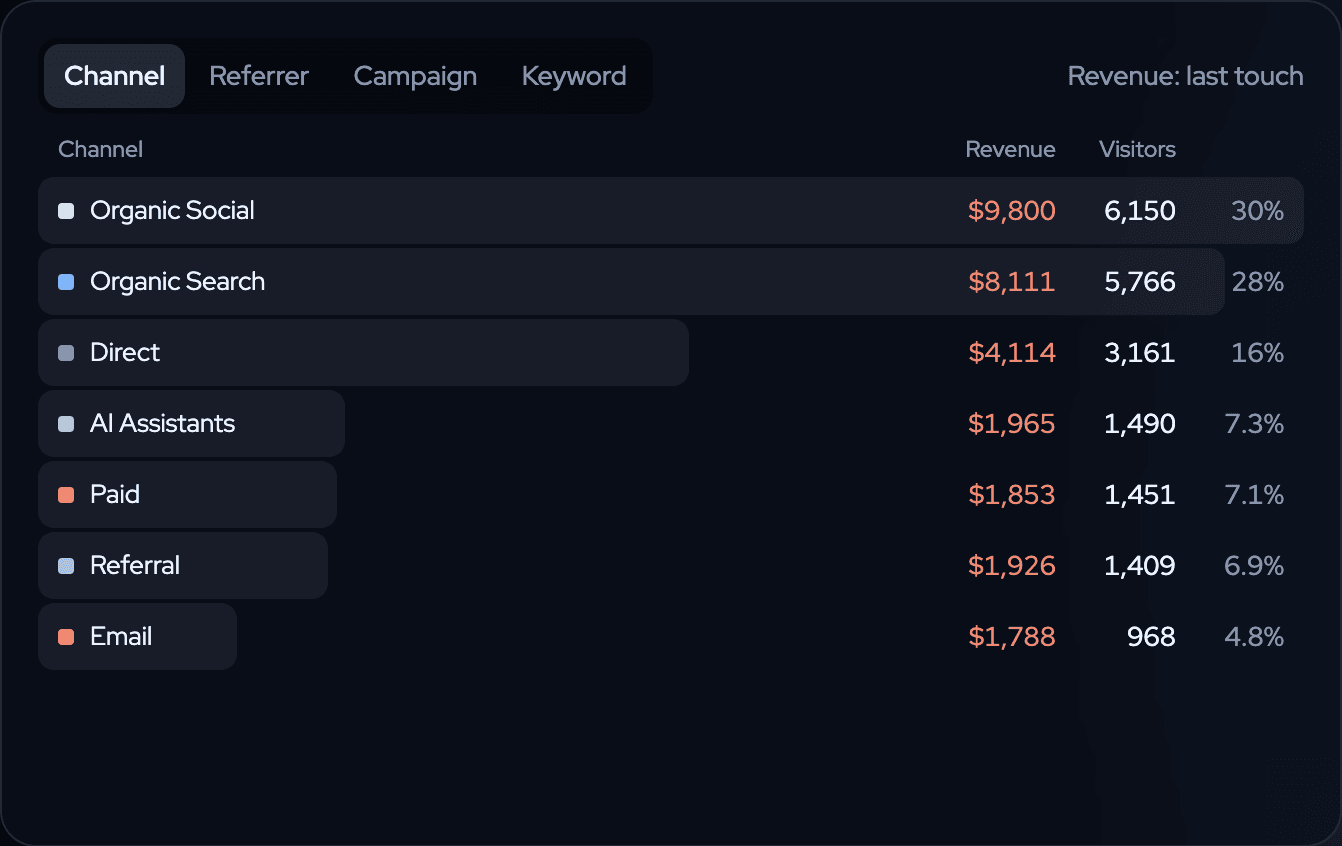
The Channel tab of the twelvebit Overview for queststack.io, revenue last touch: Organic Social $9,800 from 6,150 visitors, Organic Search $8,111, Direct $4,114, AI Assistants $1,965.
The Channel tab of the Overview: revenue and visitors for each channel, last touch. Sample data on the queststack.io demo, October 2026. Open the live demo →

Why visitors are the wrong measure

Most dashboards rank channels by visitors. A channel can send the most visitors and the least revenue. A small newsletter or one forum thread can send few people who all buy. If you put time and money where the visitors are, you can grow the wrong channel.

The useful question is: which channel brings the people who pay? To answer it, the payment must be joined to the visit that came before it. twelvebit does that when you connect Stripe, Polar, Lemon Squeezy, Paddle, Dodo Payments, Shopify or WooCommerce. If you also sell on Amazon, connect your seller account: Amazon sales show next to the website as their own source, because Amazon does not say which visit an order came from.

Where twelvebit shows it

Open the Overview. The card on the left has four tabs: Channel, Referrer, Campaign and Keyword. Each row shows the revenue and the visitors of that source. The label Revenue: last touch tells you the model: each payment counts once, for the visit before the payment, so the rows add up to the total. Revenue that no visit can claim stays on its own row, so nothing is hidden.

Above the cards, What stands out writes the finding as a sentence, for example "Each visitor from Email is worth $1.85, 1.3× the site average of $1.46." Click a card and the whole dashboard filters to that source.

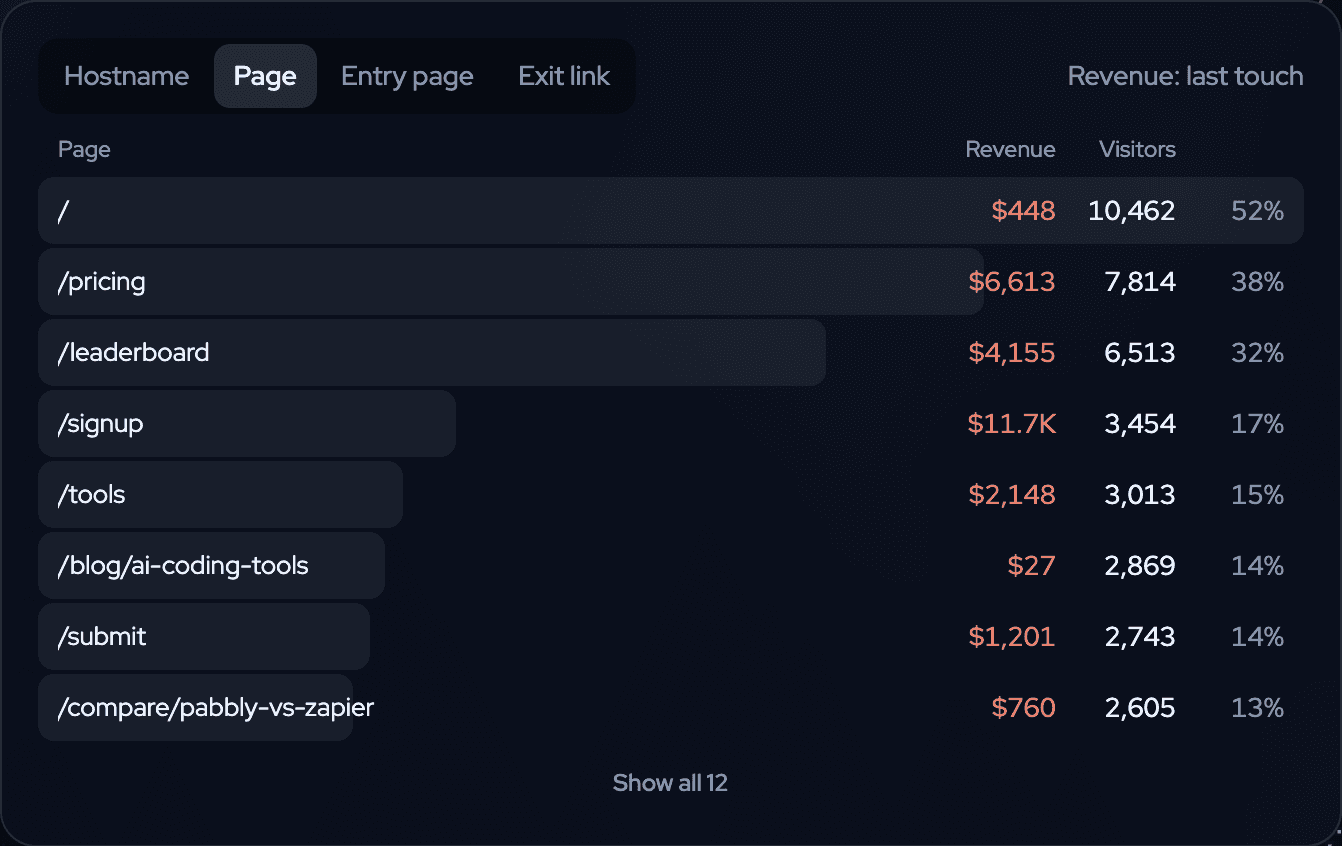
Three What stands out cards: each visitor from Email is worth $1.85, 1.3× the site average; people who land on /pricing spend the most per visitor; AI assistants sent 7.3% of visitors.
What stands out: the most valuable channel, the best landing page and the share from AI assistants, as sentences. Sample data on the queststack.io demo, October 2026. Open the live demo →

How to do it

  1. Install the script, or paste the setup prompt into your coding agent. See agent setup.
  2. Connect your payment provider under Settings → Revenue.
  3. Open the Overview and pick 30 days. Read the Channel tab by revenue, not by visitors.
  4. Switch to Referrer to see the exact sites, and to Campaign for your UTM campaigns.
  5. Set the chart to Revenue/visitor. A channel with few visitors and a high value per visitor is the one to grow.

What to do with the answer

Put more into the channel with the highest revenue per visitor, and look again in 30 days. A channel with many visitors and no customers is a page problem or an audience problem. Open the funnel for that channel before you stop it. How the credit is given is on revenue attribution.

Keep learning

More questions the dashboard answers.

All learn pages →

Paste one prompt. Watch the first events arrive.

Start free. Your agent does the setup, and you see revenue next to the traffic that brought it.

14-day free trial · cancel any time