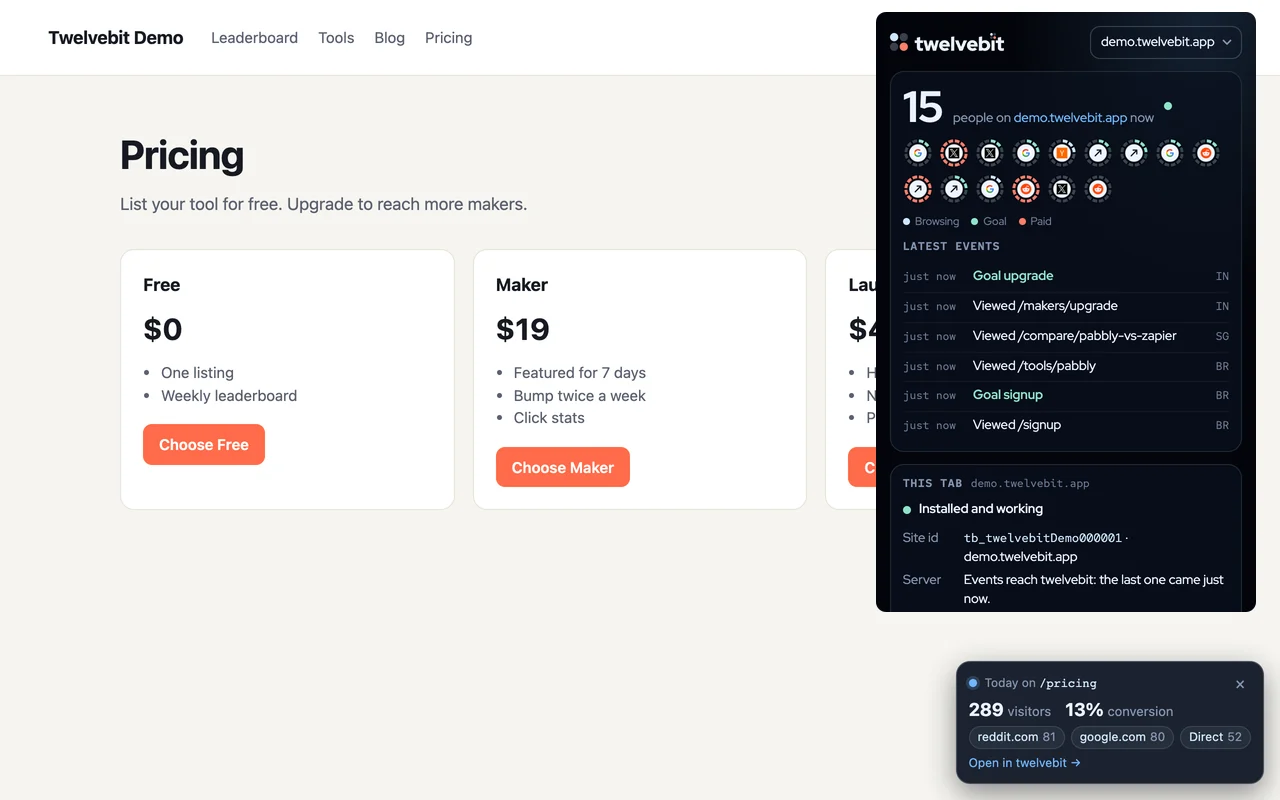
Live count on the toolbar
The badge shows the number of people on your site now. Click it for the live view: each person as a signal ring, and the latest events.
Page stats on your own pages
On a page of your own site, a small pill shows today's visitors, the top 3 sources and the conversion rate of that page. You turn it on for each site, and you can close it.
Install checker for any site
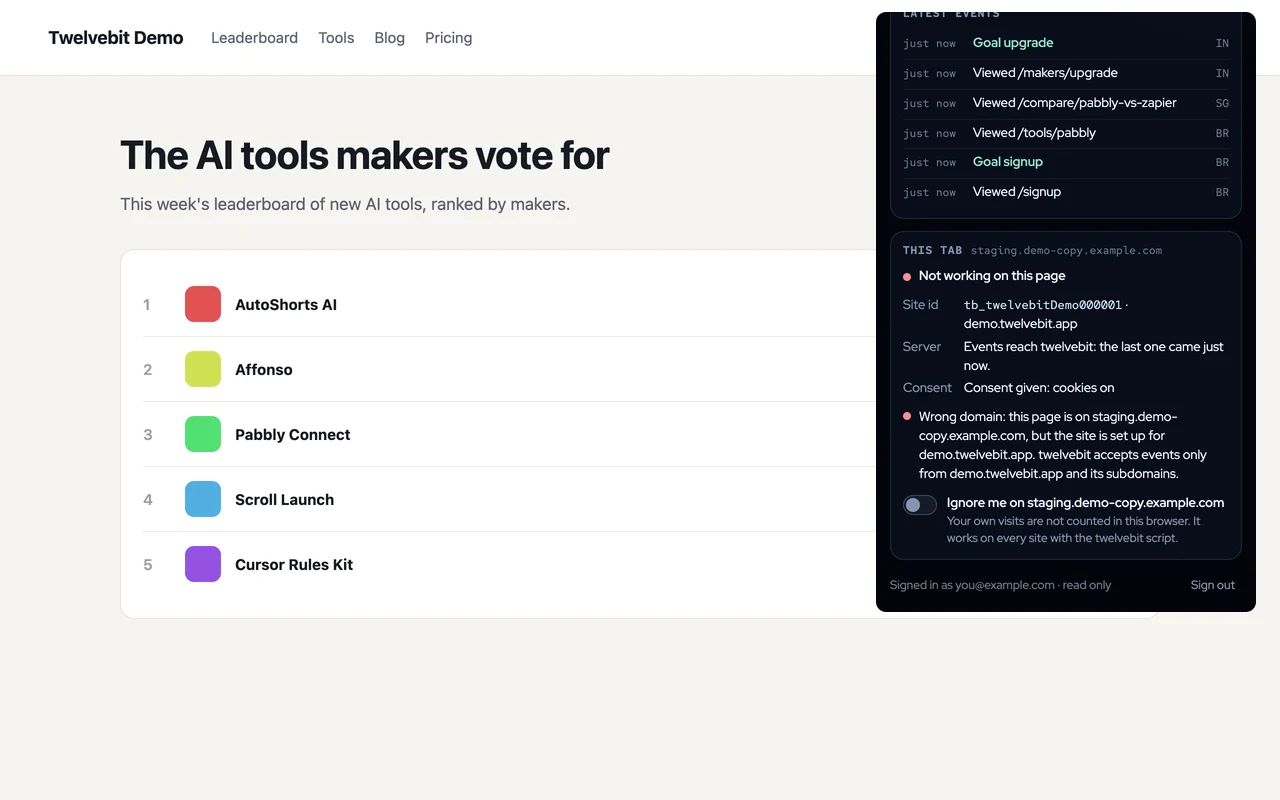
On any page, the extension finds the twelvebit script and shows the site id, the consent mode and whether events reach twelvebit. It warns about a missing script, a wrong domain and a Content Security Policy that blocks the script.
Ignore me
One click leaves your own visits out of a site's numbers, in this browser. It works on every site with the twelvebit script, not only on yours.
Read only, and private
You sign in with your twelvebit account and approve the extension on twelvebit.app. It gets a read-only token: it can read your analytics and change nothing. Sign out in the extension, or revoke the token on your Account page.
The extension sends data only to twelvebit, and only what a feature needs. It keeps no list of the pages you visit. It reads a page only when you click the extension button, or on your own sites where you turned on page stats. The details are in the privacy policy.